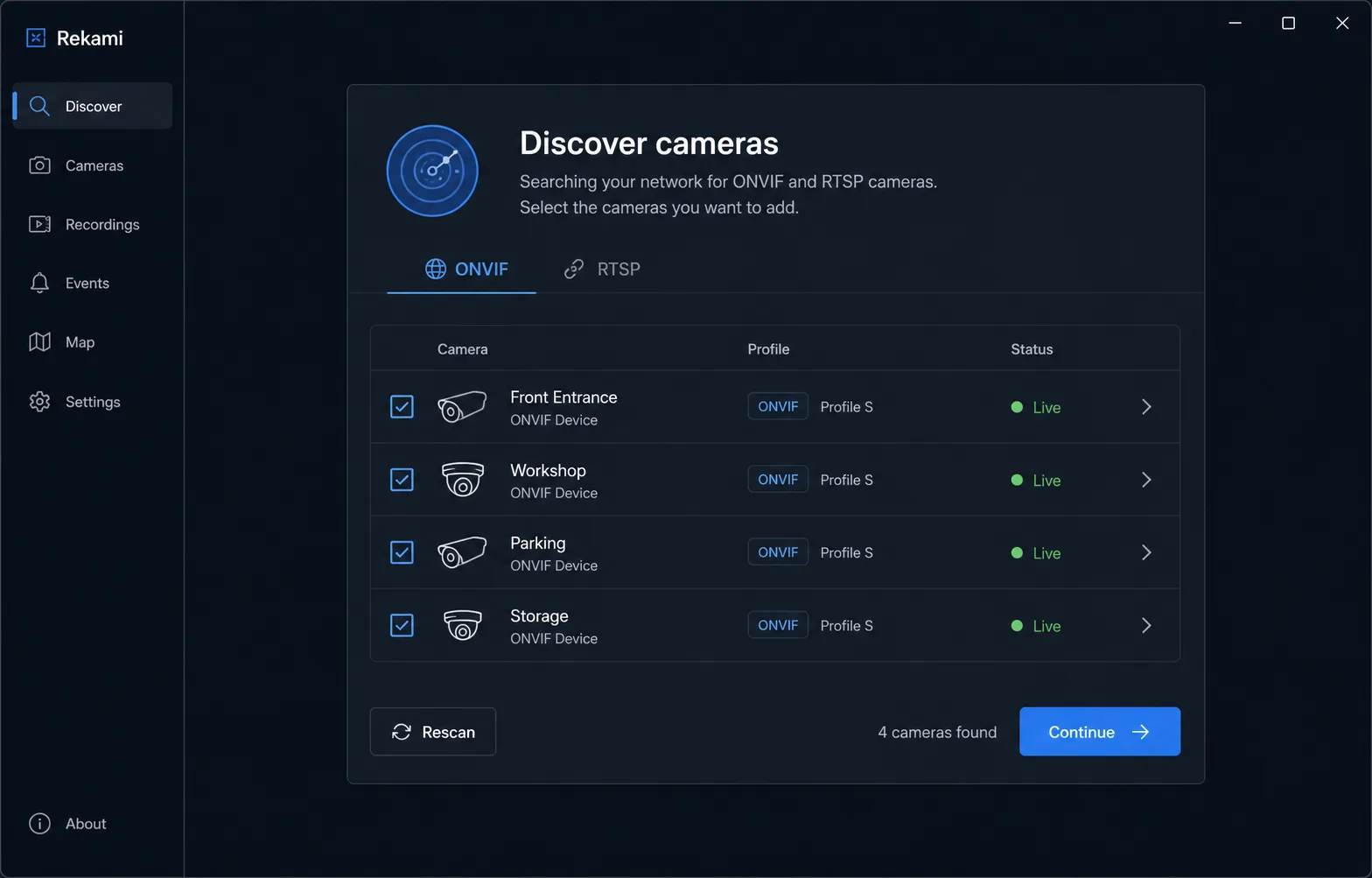
01 / Discover
Find compatible cameras on your network.
Scan for ONVIF devices, review the candidates and test a stream before saving it.
View screenshot
Local-first camera monitoring
Your cameras. Your network. Your privacy.
Discover, watch and record your IP cameras without a cloud account, a subscription or a dedicated NVR server.
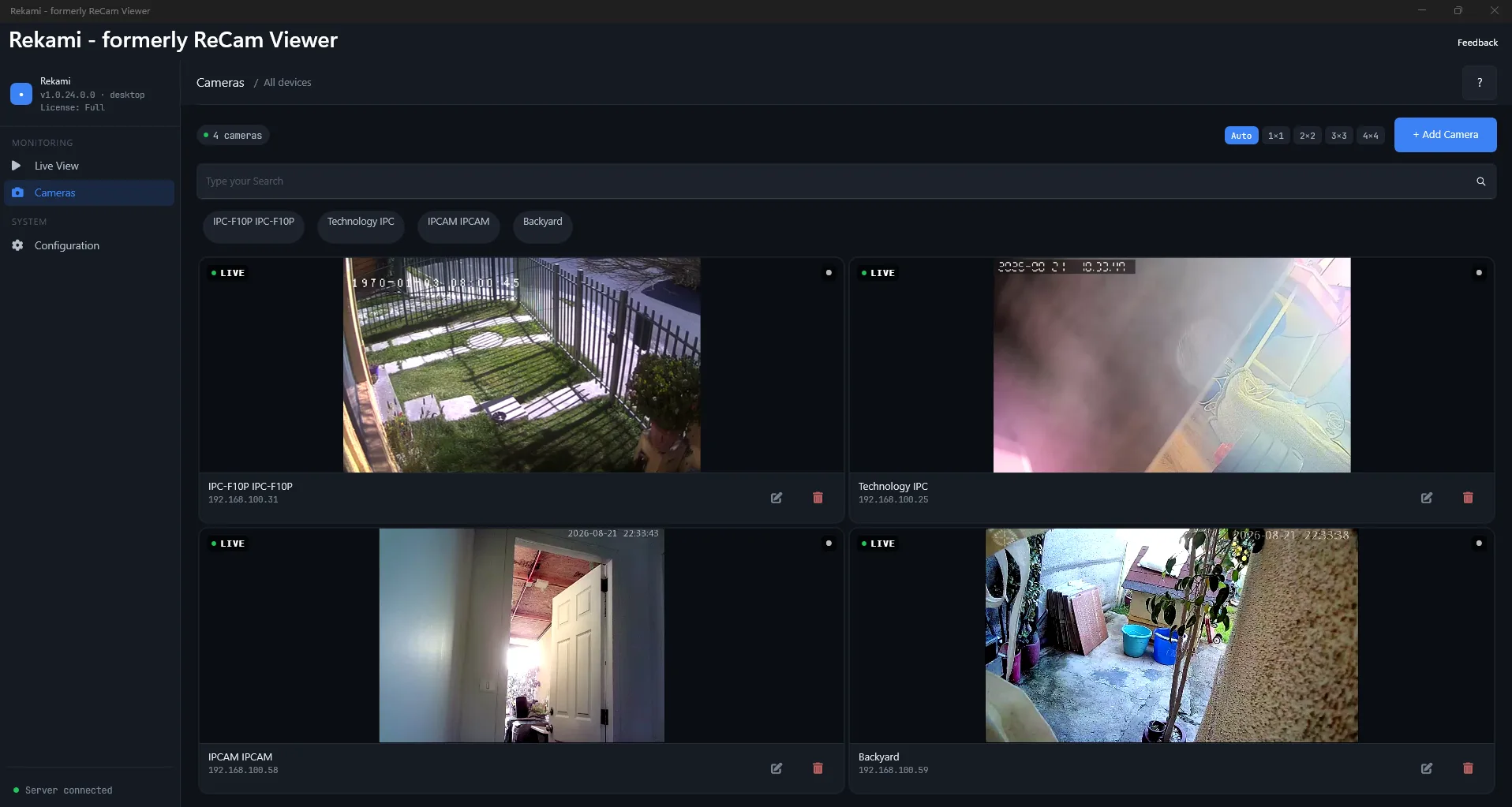

Built for the everyday view
Add cameras once, keep them organized, and get to the live view quickly.
01 / Discover
Scan for ONVIF devices, review the candidates and test a stream before saving it.
02 / Watch
Name and organize a small set of cameras, then monitor multiple RTSP streams from a clean Windows workspace.
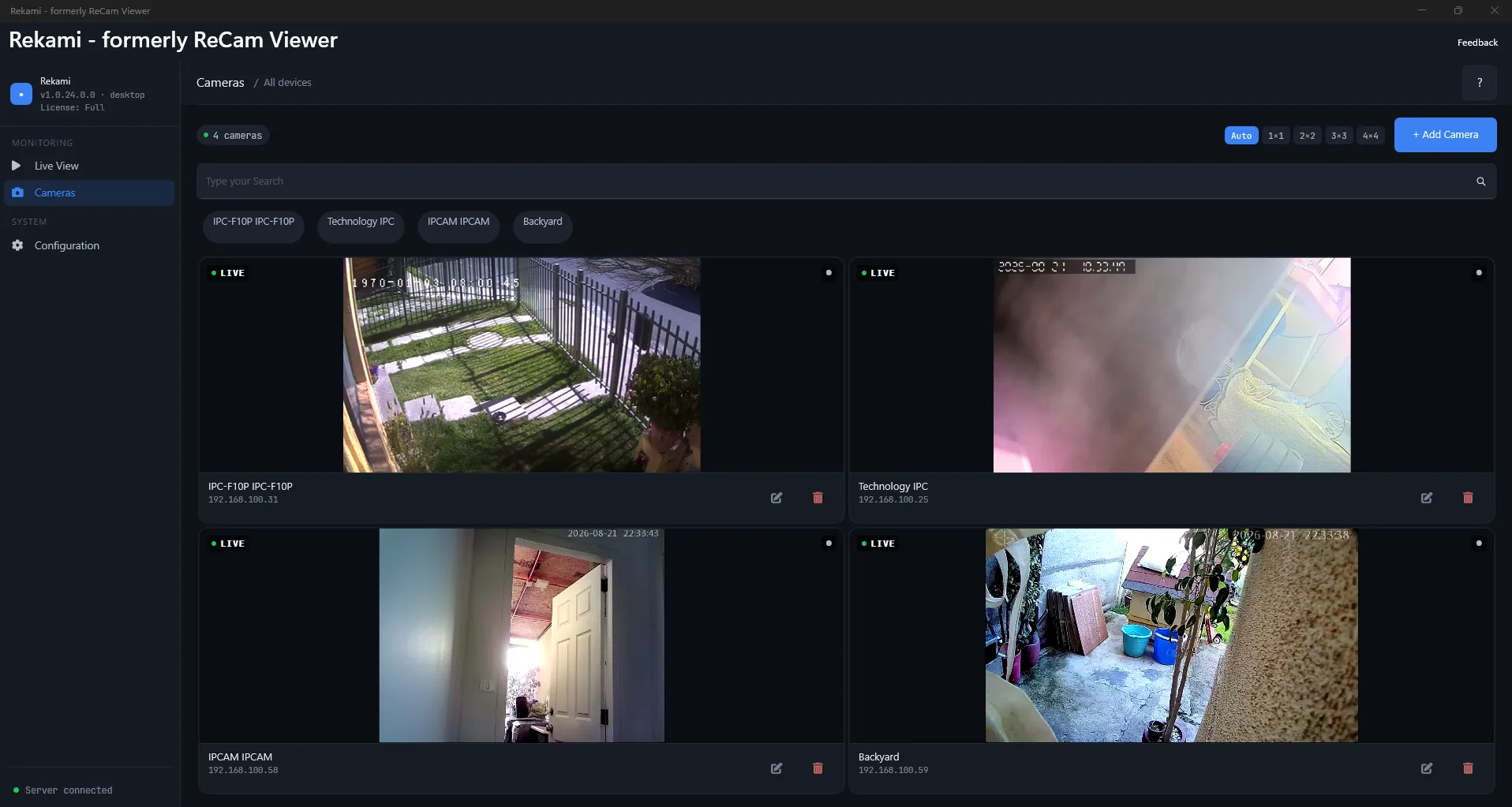
03 / Record
Record footage or take a snapshot from a live stream. Files stay on the Windows device and folder you choose.
How it works
Find ONVIF devices or enter a known RTSP stream.
Test the connection, save the camera and open the live view.
Save a local recording or snapshot when you need it.
Local by design
Rekami connects directly to compatible cameras over your LAN. You do not need a Rekami cloud account to watch local streams.
REKAMI FOR WINDOWS
A focused Windows viewer for homes, workshops and small offices.
Where Rekami fits
Rekami fills the useful space between testing one URL and running a surveillance platform.
Just watch one stream.
Watch, organize and record.
Run a surveillance system.
Check RTSP access, your local network and the differences between Windows and Android before installing.
View compatibility and requirements →Questions, answered
Yes. Rekami can discover compatible ONVIF cameras on your local network. Video playback uses the RTSP stream exposed by the camera; advanced ONVIF or PTZ support varies by platform and model.
Yes. You can add a camera using its RTSP URL and test the stream before saving it.
No. Local camera viewing does not require a Rekami account and your streams are not routed through a Rekami cloud service.
No recurring subscription is required. Microsoft Store displays the current one-time price for your region.
No. Rekami is designed for straightforward local viewing, organization, snapshots and recording. A dedicated NVR is a better fit for continuous retention, motion rules, many users or large installations.
Rekami works with cameras that expose a compatible RTSP stream and can discover many ONVIF devices. Compatibility still depends on the camera model, firmware, codec, credentials and network setup.
Yes, after installation. Local viewing and recording work over your LAN; internet is required for Store downloads and updates.
ReCam Viewer is now Rekami. The product name is changing while the existing Store identity, purchases and installed app continue through the transition.
Practical guides
Short guides for local camera setup, RTSP troubleshooting and Rekami workflows.
Check local network access, RTSP support and platform differences before installing Rekami.
Diagnose camera network access, credentials, stream paths and disconnects before saving a camera in Rekami.